Google's Beginners Quest CTF writeup of questions 1 & 2

This is a write-up to Google's Beginners Quest CTF for questions 1 & 2.
Challenge 1
When we first go to the webpage we are greeted with a login page.
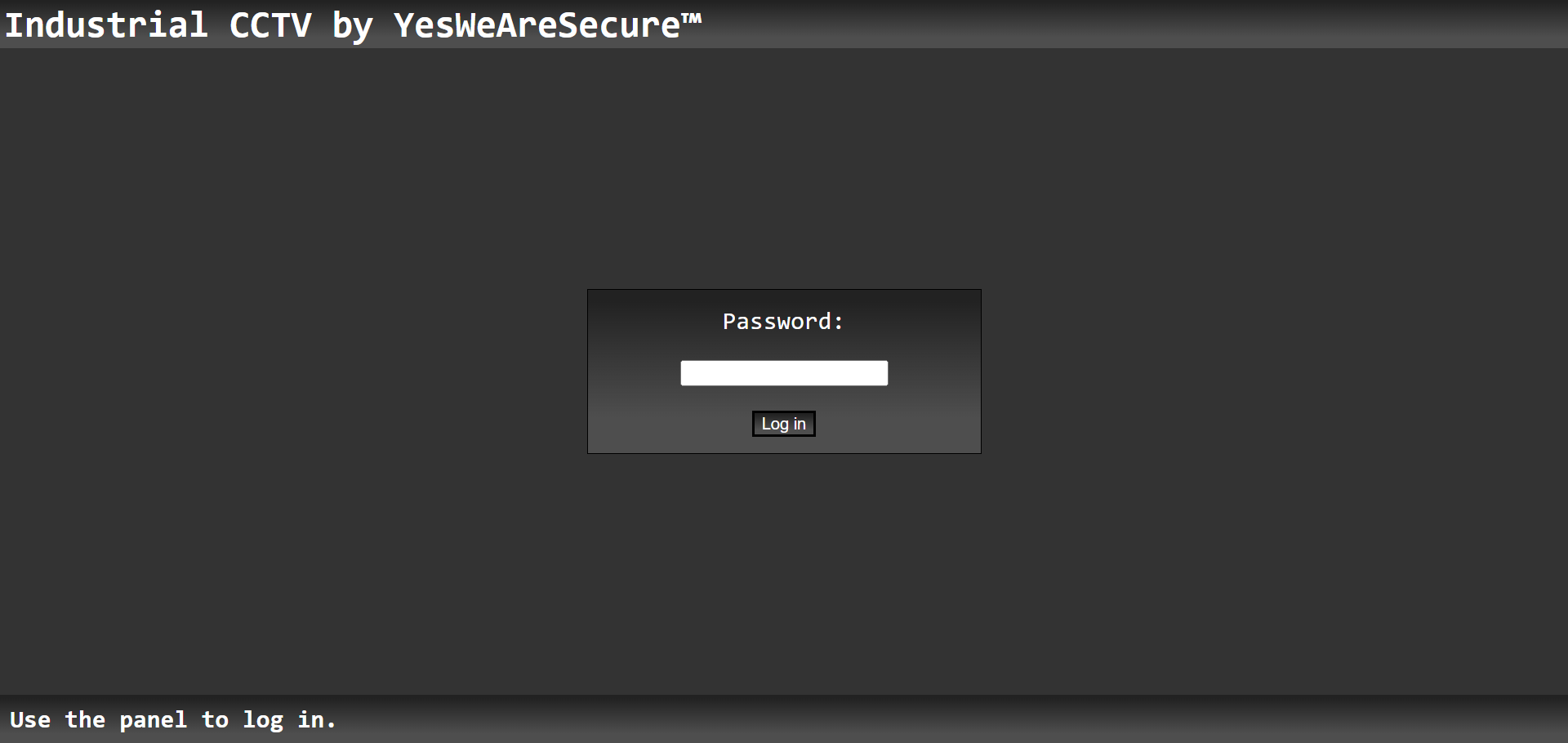
If we input the wrong password we get an alert that tells us "Wrong Password!".
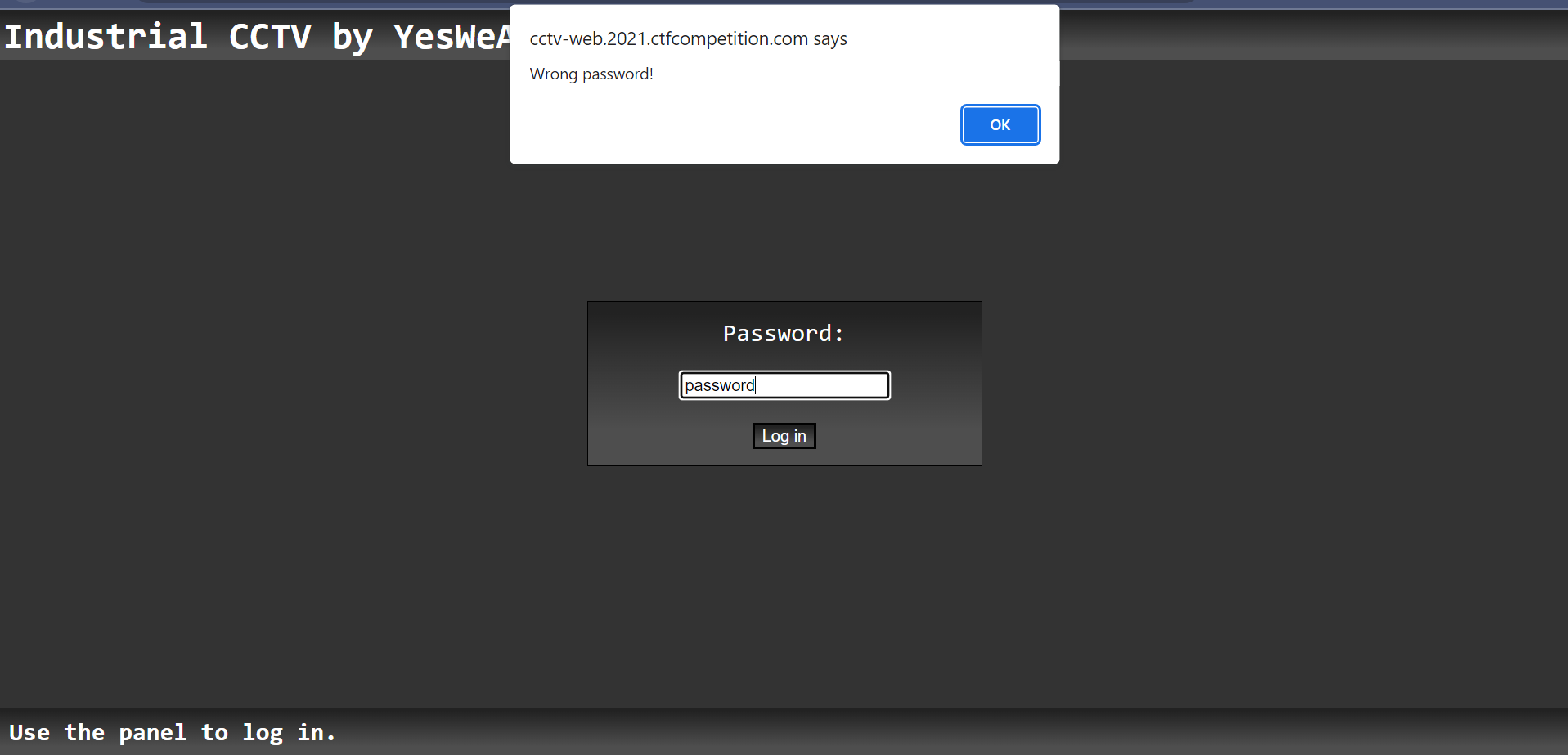
The first thing I did was look at the source code with ctrl+u. I scrolled down until I saw the javascript for this page. Below contains the important code for the password checker:
const checkPassword = () => {
  const v = document.getElementById("password").value;
  const p = Array.from(v).map(a => 0xCafe + a.charCodeAt(0));

  if(p[0] === 52037 &&
     p[6] === 52081 &&
     p[5] === 52063 &&
     p[1] === 52077 &&
     p[9] === 52077 &&
     p[10] === 52080 &&
     p[4] === 52046 &&
     p[3] === 52066 &&
     p[8] === 52085 &&
     p[7] === 52081 &&
     p[2] === 52077 &&
     p[11] === 52066) {
    window.location.replace(v + ".html");
  } else {
    alert("Wrong password!");
The encoding part of the code is:
const v = document.getElementById("password").value;
const p = Array.from(v).map(a => 0xCafe + a.charCodeAt(0))
Essentially, all this code is doing is grabbing the password from the text box and then turning all the characters into a charcode, charcode is the number representation of a Unicode character, and then adding 0xCafe to each character. 0xCafe is a hexadecimal number that is equivalent to 51966. The output is then turned into an array.
The password checker part is:
  if(p[0] === 52037 &&
     p[6] === 52081 &&
     p[5] === 52063 &&
     p[1] === 52077 &&
     p[9] === 52077 &&
     p[10] === 52080 &&
     p[4] === 52046 &&
     p[3] === 52066 &&
     p[8] === 52085 &&
     p[7] === 52081 &&
     p[2] === 52077 &&
     p[11] === 52066) {
    window.location.replace(v + ".html");
  } else {
    alert("Wrong password!");
What this code is doing is checking the array p, remembering p is your encoded password, and comparing the indexes of p to a number. If your encoded character does not match their number, then it will alert you that there is a "Wrong password!".
What do we know?
We know that each character of the input password will be changed into a charnumber and then 51966 is added, the 51966 is from 0xCafe. This will then be checked character by character if they match the desired sum.
What data do we have?
We have the 12 encoded characters for 12 correct characters.
How do we reverse engineer this?
Since we know the desired sum of each character, we can take away 51966 from the encoded character and turn it back into letters using the String.fromCharCode() function.
How do we do this?
First off we need to put all the known encoded characters into an array in order. This looks like:
const encoded_pass = [52037, 52077, 52077, 52066, 52046, 52063, 52081, 52081, 52085, 52077, 52080, 52066]
Secondly, we need to loop threw the array of encoded letters and minus 51966 from each character. We can turn all of the encoded characters back into plaintext. We then need to add all these characters to a string and connect them together.
Finally, we need to print it out to the console. This is all done in the code below.
const encoded_pass = [52037, 52077, 52077, 52066, 52046, 52063, 52081, 52081, 52085, 52077, 52080, 52066]
let pass = ""
for(let character of encoded_pass) {
    pass +=  String.fromCharCode(character-51966); //Remember 0xCafe = 51966
   }
console.log(pass)
This gives us the password GoodPassword
Now that we have the password we can log in. Once we login, we see some CTV and the flag.
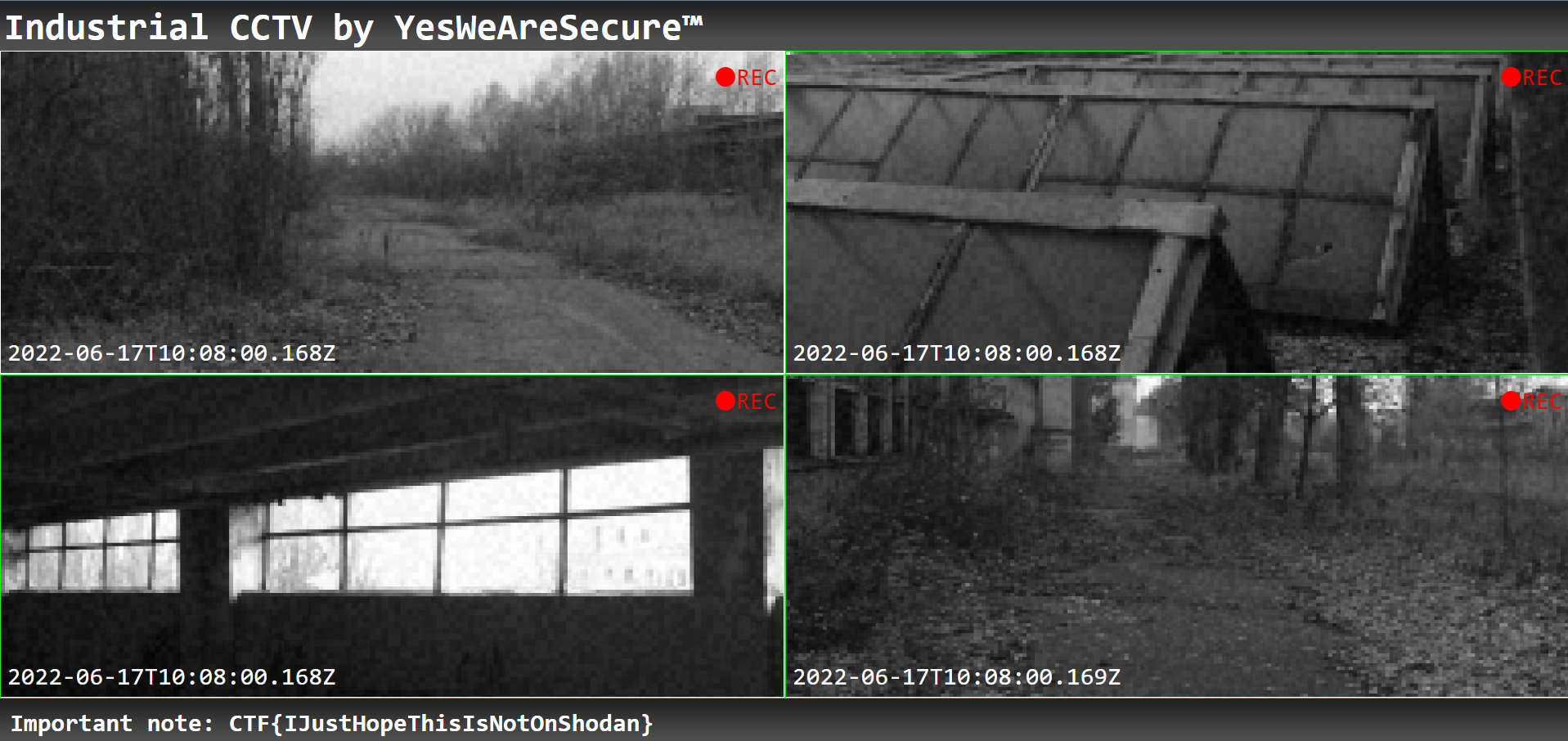
The Flag is: CTF{IJustHopeThisIsNotOnShodan}
Challenge 2
In this challenge, you are given an image. In this image, there are multiple logic gates connected to each other. You are required to figure out what to set the inputs to get an outcome of 1.
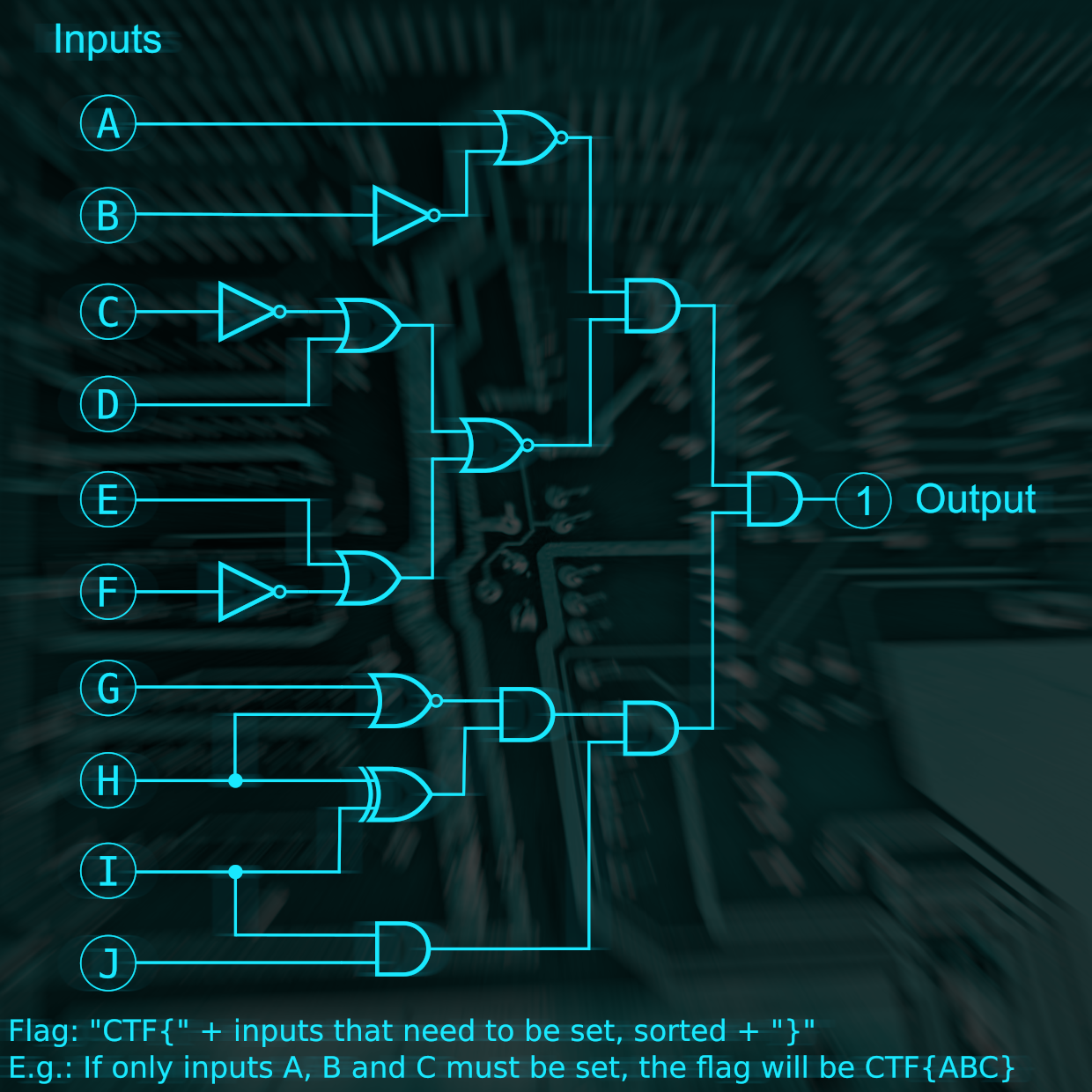
How do we figure the flag out?
Firstly, we label all the logic gates and figure out the number of inputs required for them to turn true or false. Then we reverse the flow from the output, slowly figuring out what gates are required to be true. Eventually, you will get to the end and learn which inputs need to be true to get the output of true. Below is a completed circuit.
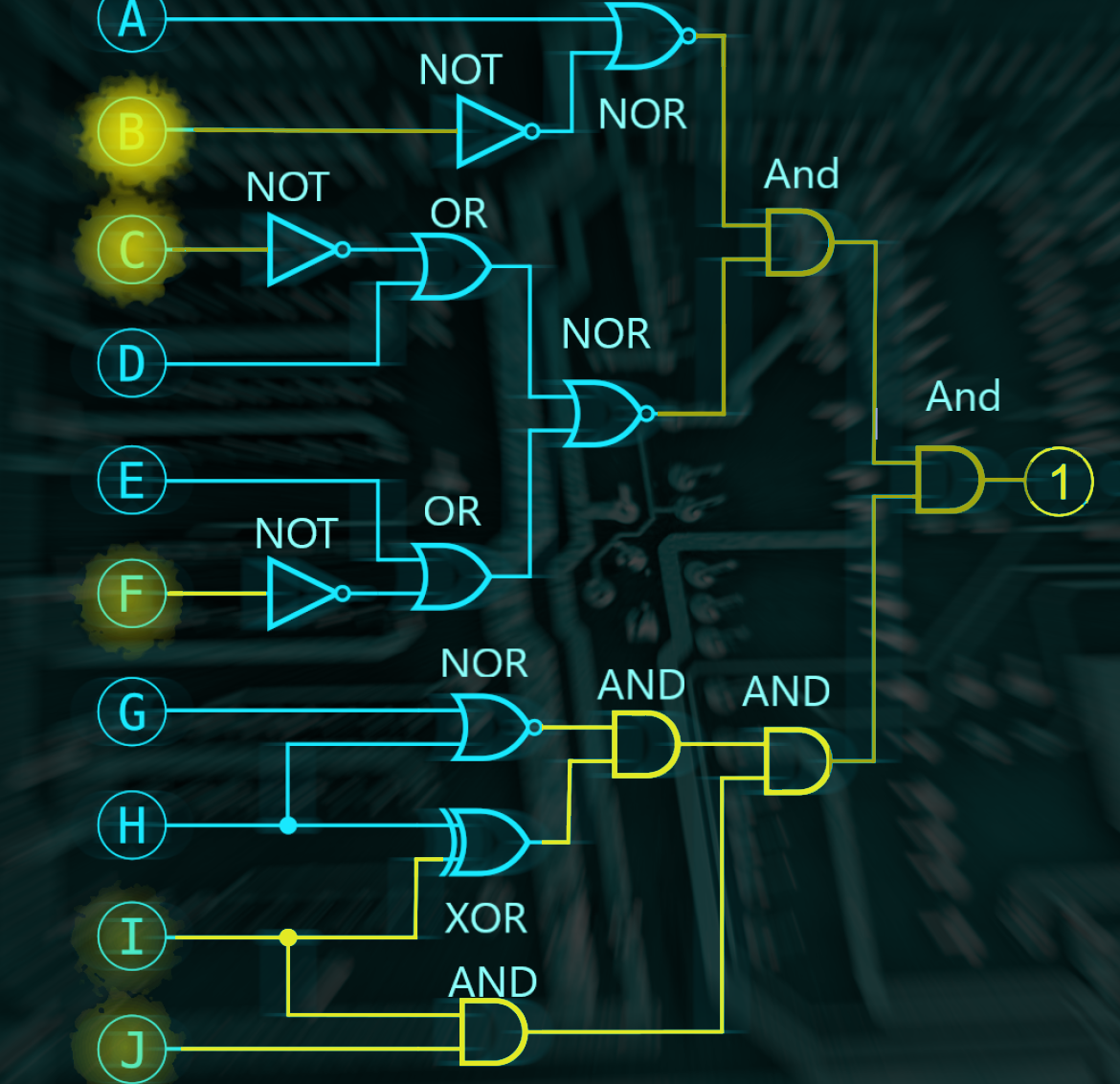
The flag is: CTF{BCFIJ}
Wrapup
If you want to try these challenges for yourself go to https://capturetheflag.withgoogle.com/beginners-quest .
Comments
Join the discussionNo comments yet. Be the first to comment.